

Tips on increasing your console memory
You don’t have to delete games from your console when the latest big game releases. This guide will help you expand the memory of your console so you can keep all your favourite games installed.
Shop all games consoles&poi={$this.metadata.pointOfInterest.x},{$this.metadata.pointOfInterest.y},{$this.metadata.pointOfInterest.w},{$this.metadata.pointOfInterest.h}&scaleFit={$sfcenter}&sm=aspect&aspect=3:2&sfcenter=center&sfpoi=poi&qlt=50&fmt=auto&noiser=0&fmt.jpeg.interlaced=true&fmt.jp2.qlt=40&)
By Steven Smith | Date published: June 2026
With modern games increasing in file size, you might find the storage your console arrived with quickly filling up. With easy-to-install external options and internal memory offerings it’s a problem you can solve without replacing the console or deleting your favourite games.
What is game console storage and why does it fill up?
Storage or memory is where your console keeps games, apps, updates and saved data. A portion of the available memory is taken up by the operating software needed to make the console run. The rest is used each time you add a new game, update existing ones and create save files. As games become larger and updates more frequent, built‑in storage can fill quickly.
Typical causes include:
- Large game downloads
- Regular updates and downloadable content
- Saved data and captures
- Keeping multiple games installed at once
If you find yourself deleting games to make space, it may be time to expand your storage.
Ways to increase storage on PlayStation and Xbox
There are two main ways to expand game storage, depending on your console model and how you use it.
| Method | What it does | Best for |
|---|---|---|
External USB storage | Adds extra space for games and media | Simple setup |
Internal storage upgrade | Expands built‑in memory for gameplay | Faster performance |
Carousel
Expanding memory in Nintendo Switch and Switch 2 consoles
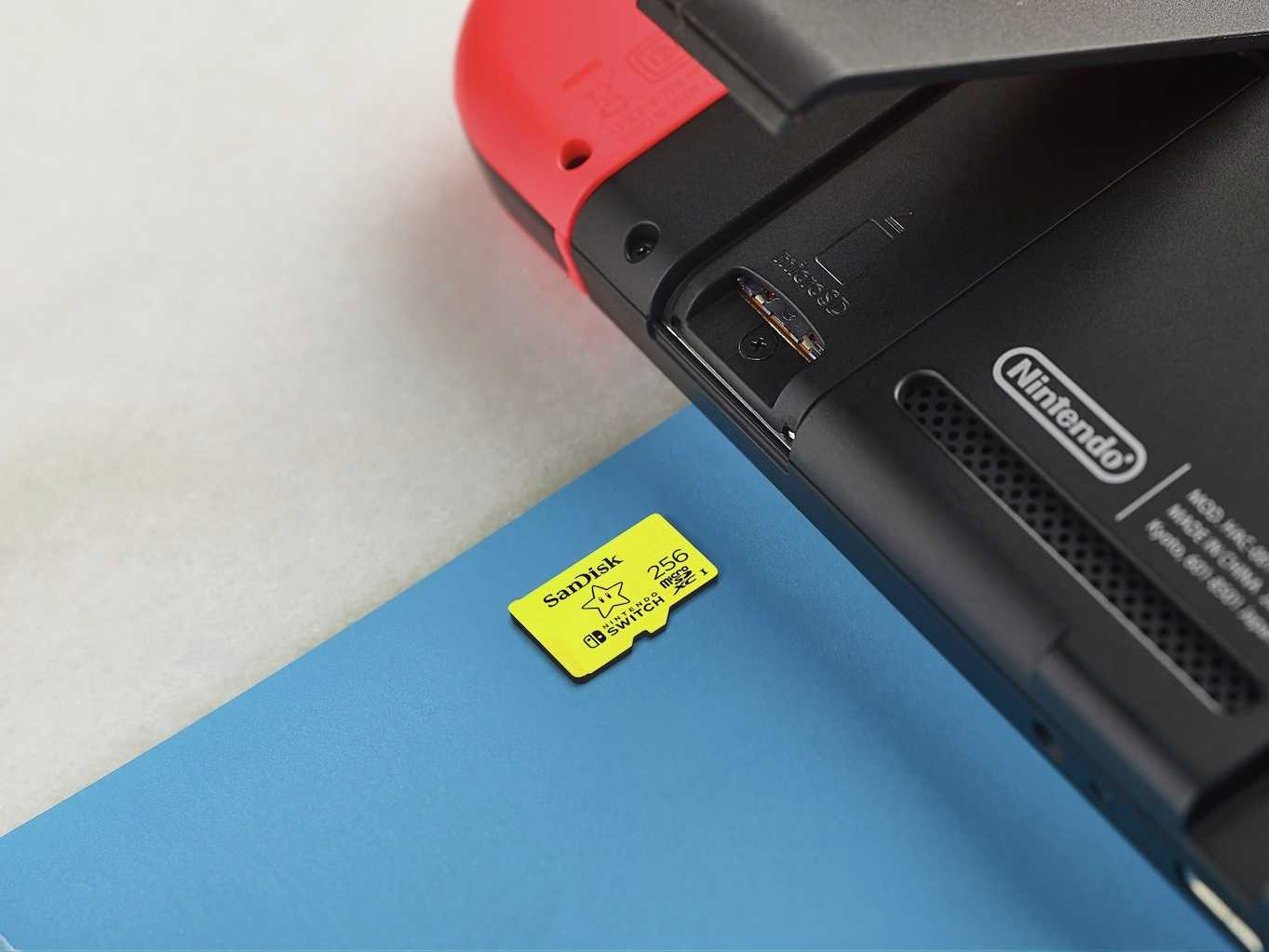
Nintendo Switch and Switch 2 consoles both feature built-in memory, with access via subscriptions to cloud storage for compatible games. Nintendo Switch consoles including the original model, Lite and OLED versions need a microSD card up to a maximum of 2TB, while the Nintendo Switch 2 requires a microSD Express (EX) memory card up to a maximum of 2 TB in size. In all cases, these will hold downloaded games, downloadable content (DLCs) and screen shots. Game saves are always stored on the internal memory. Officially licensed memory cards are recommended, but others will work if they meet the requirements of your console.
Choosing the right storage for your console
Capacity
- 1TB is suitable for light use and casual gaming
- 2TB or more suits larger game libraries and AAA games (high budget, high end games comparable to Hollywood projects)
Speed
- SSDs provide faster load times
- HDDs (hard disk drives) offer higher capacity options
Ease of use
- External drives are quick to set up
- Internal upgrades take more time
Compatibility
Always check your console model and the specifications set out by the manufacturer before buying storage. Follow guidance and installation instructions from the manufacturer.
How to free up memory on your internal storage
Before upgrading, you can free up space by:
- Deleting unused games – free up space by deleting any games you no longer play
- Moving games to external storage – any games you only play occasionally could be moved to external storage to make room for new games on internal memory
- Removing old captures – look at your screenshots, video captures and other media. Remove anything you don’t need as these all take up space
- Reviewing storage settings regularly to maximise internal memory. For example, PS4 games can be played directly from external storage on a PS5 – set PS4 games to install to external storage first to help leave your internal memory free
FAQs
How can I add more memory to my Xbox?
Use either a storage expansion card or an external USB drive. Expansion cards allow you to install and play games directly. External drives are better for storing games and older titles.
Is there a way to increase PS5 internal storage
Yes, by installing a compatible internal SSD. This expands storage and allows games to run directly from the drive.
Is a 2TB storage card overkill for Xbox?
A 2TB storage card is a good size – modern AAA titles often hit or exceed 100GB file sizes, and with a base 512GB or 1TB console, this will fill up fast. 2TB will save the frustration of constant deleting and re-installing games.
Can I put a 4TB SSD in my PS5?
You can comfortably add a 4TB. You can add up to 8TB. Make sure the SSD is a PCIe Gen4 x4 M.2 NVMe SSD with heat sink and ideally is 2280 form factor (this means 22mm wide and 80 mm long). Other sizes are compatible but check this Sony guide to ensure you know what to look for before purchasing.
Do I need 512GB or 1TB for Xbox storage?
With a portion of the stated memory being taken up operating software you will have around 364GB and 804GB respectively available to use. With some of the biggest games such as Starfield and Call of Duty often exceeding 100GB before updates, a larger base memory will be better. If you are likely to play much less memory-heavy games, or only have a few installed at a time, the 512GB option will be fine.
How many PS5 games will 4TB hold?
Even when looking at larger AAA games of 100-200+GB you can store 25-40 games on a 4TB SSD. Games at the 40-60GB range will go up to around 60-80 games, and if your library is mostly smaller indie games in the 10-30GB range you could store over 100 on your console.