
How to choose the right TV stand for your TV
Explore TV stands, TV units and accessories to help your TV fit right into your dream setup.
Shop all TV stands and units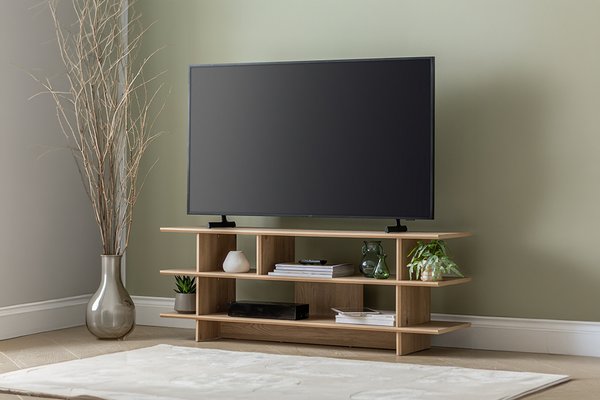&poi={$this.metadata.pointOfInterest.x},{$this.metadata.pointOfInterest.y},{$this.metadata.pointOfInterest.w},{$this.metadata.pointOfInterest.h}&scaleFit={$sfcenter}&sm=aspect&aspect=3:2&sfcenter=center&sfpoi=poi&qlt=50&fmt=auto&noiser=0&fmt.jpeg.interlaced=true&fmt.jp2.qlt=40&)
By Kirsty Evans | Last edited: October 2026
Finding a TV stand that works for your home
A TV stand has more to do than just hold your television. It should fit your TV securely, provide a comfortable viewing position and give you enough room for any complementary equipment you use. It also needs to work with the shape and size of your room.
From compact corner TV stands to wider television units with cupboards and shelves, there are plenty of options. This guide explains what to measure, which features to look for and how to create a practical setup that feels right for your space.
Measure your TV before choosing a stand
Wondering what size TV stand you might need? Before buying one, take a few measurements of your TV with its fitted feet or tabletop stand attached. Screen size alone isn't enough, as TVs with the same screen size can vary in width, weight and foot placement.
Make a note of:
- Overall width: from the furthest left edge to the furthest right edge
- Overall height: from the supporting surface to the top of the TV
- Overall depth: from the front of the feet or base to the furthest point at the back
- Distance between the feet: measured across their widest outer points
- TV weight: found in the product information or manufacturer's instructions
These measurements will help you compare your TV with the dimensions and weight capacity of a TV stand.
Explore TV stands and units by size
From compact corners to larger living rooms, explore TV stands and units tailored to your screen size.
Carousel
Choosing the right TV stand
Once you have your TV's measurements, check the stand's product information to make sure it's suitable.
A good TV stand should:
- Support the full weight of your TV and any additional equipment
- Provide a stable surface for the TV's feet or base
- Leave enough space for cables and ventilation
- Position the screen at a comfortable viewing height
- Fit comfortably within your room, leaving space for doors, walkways, furniture and access to sockets
- Offer enough storage for any devices you use
Consider where you'll be watching from and whether windows, lighting or room features could affect screen visibility.
Quick tip: If your TV has feet positioned near the outer edges of the screen, make sure both feet sit fully on the stand's surface. For pedestal-style bases, check that the entire base fits comfortably on top.
People often prefer a TV stand that's wider than their TV, as it can create a balanced look and provide space for items such as a soundbar. However, the most important consideration is that the TV fits securely and the stand is rated to support its weight.
Choose a comfortable TV stand height
The right height depends on your television, seating and usual viewing position. As a practical starting point, the central area of the screen should feel comfortable to view when you are sitting normally. You should not need to hold your head noticeably up or down for long periods.
Sit in the seat you use most and look towards the proposed TV position. Measure from the floor to your natural line of sight, then compare this with:
- The height of the TV stand
- The height of the television
- The position of the screen within the television frame
- The height added by the TV’s base or feet
Quick tip: Low TV units often work well with larger screens because the television itself adds height. A taller unit may suit a smaller television or a room where the main seating is higher. Always check the combined height rather than choosing the unit in isolation.
Compare different types of TV stands
The best TV stand for your home depends on your floor space, storage needs and television. Here are some common types you may want to consider.
1. TV units with storage
A TV unit with drawers, cupboards or open shelves can give remotes, controllers, games and media equipment a regular home.
- Choose open shelves if you need easy access to devices or want remote controls to reach them without opening a door.
- Closed storage can reduce visible clutter, but you should check that equipment has enough ventilation and that cables can pass through the back of the unit.
Quick tip: Measure your larger devices before choosing shelf space. Remember to include plugs, connectors and room for cables to bend without being tightly compressed.
2. Minimalist TV stands
A simple TV console with an open frame or narrow shelf can keep the setup feeling uncluttered.
- This may suit a smaller room or a household that uses few additional devices.
- Open designs can make cables more visible, so clips, sleeves or built-in cable channels may help keep them organised.
Minimalist does not mean measurement-free. Remember to check the maximum supported weight, base dimensions and cable route carefully.
3. Corner TV stands
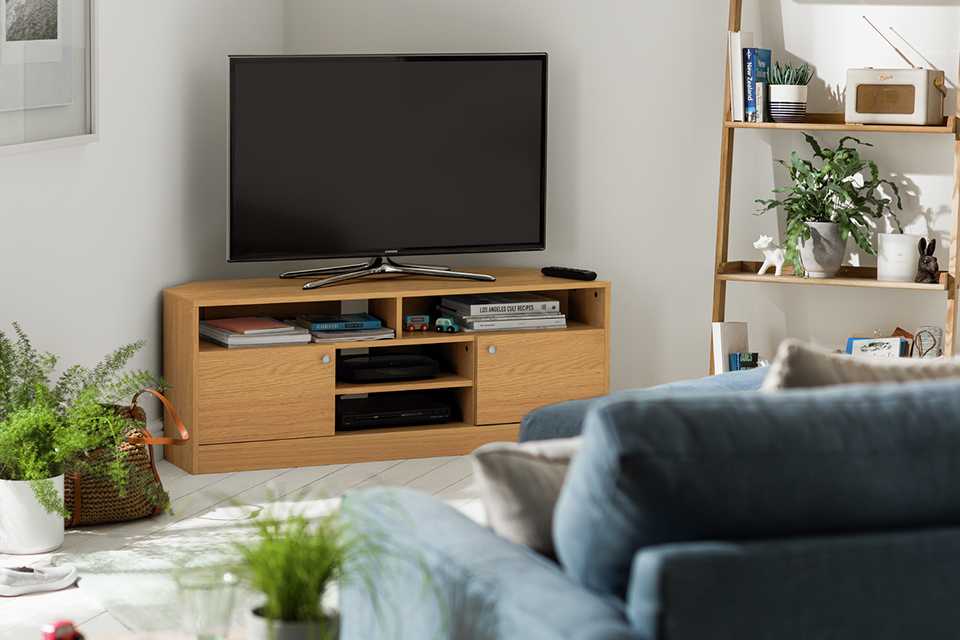
A corner TV stand can make better use of an otherwise awkward space. It can also help angle the television towards your main seating.
Quick tip: Measure both walls from the corner and check the depth of the unit. A TV can extend beyond the sides of a corner stand even when its feet fit, so make sure the complete setup does not block a doorway, window, radiator or walkway.
4. Floating TV units
A floating TV unit fixes to the wall and leaves the floor below clear. It can provide storage without taking up visible floor space.
- Wall-mounted furniture needs to be fitted using fixings that are appropriate for the wall and the unit.
- Follow the supplied instructions and seek advice from a qualified installer if you are unsure about the wall construction, fixings or supported load.
Quick tip: A floating TV unit and a wall-mounted television are separate installations. Check the instructions for each product.
5. Tabletop and floor TV stands
A separate tabletop stand can replace or adapt the supplied base on compatible televisions. Floor TV stands are freestanding supports that may include shelves for other equipment.
Compatibility can depend on the television’s size, weight and mounting-hole arrangement. Check the stand’s specification and your TV instructions before buying or fitting one.
Match the TV stand colour to your television and room
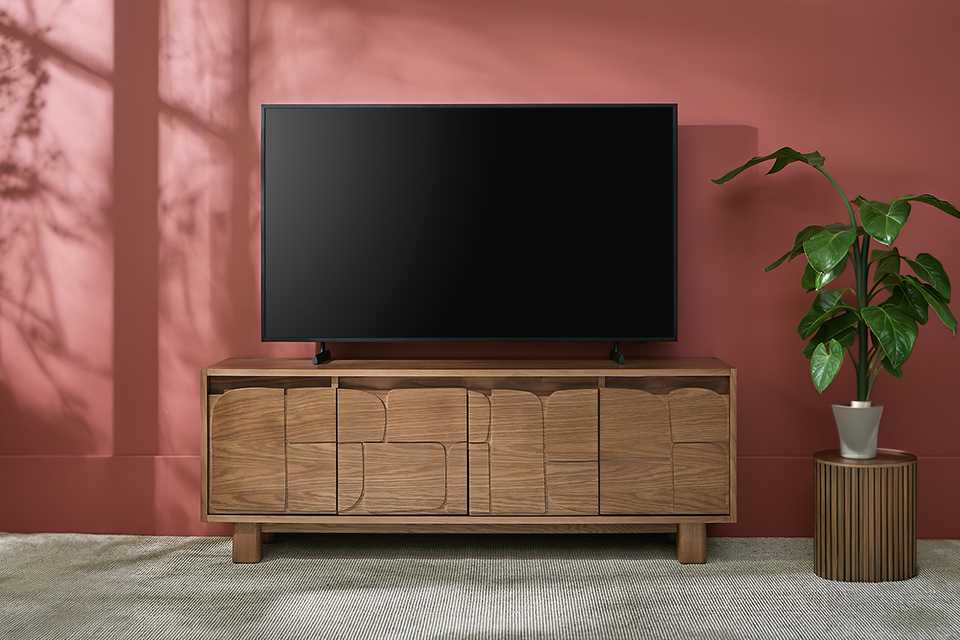
Most televisions have a black, dark grey or metallic frame. A stand in a similar tone can create a simple, coordinated setup, but it does not have to be an exact match. Here are some basic styling tips to get you started:
- Choose a dark stand to blend with the television frame
- Repeat an existing wood effect or furniture colour from the room
- Use a lighter unit to create contrast against a dark screen
- Match small details, such as handles or legs, with other furniture
- Choose a simple finish if the room already includes several colours or patterns
Quick tip: Take your whole room into account rather than looking at just the colour of the television frame. A TV unit often sits alongside a sofa, coffee table, shelving or storage furniture, so repeating one material or colour can help the pieces feel connected.
Planning storage, cables and equipment
Before choosing a TV unit, make a quick list of everything that will sit on or inside it. This could include:
- A soundbar
- A games console
- A streaming device
- A set-top box
- A router
- Controllers and remotes
- Cables and extension leads
Check that shelves are wide, high and deep enough for your equipment. Allow room around devices in line with their instructions and avoid covering ventilation openings.
Notice where the cable holes sit in relation to your sockets. Equipment may need power, HDMI, aerial or network connections, so one small opening may not be enough for every cable.
Keep leads tidy and avoid leaving loose cables across walkways. Do not force plugs or cables through openings that are too small, and do not trap cables behind the unit.
TV stand mistakes to avoid
Finding the right TV stand or TV console for your home isn’t rocket science, but you’d be surprised at how a little miscalculation can completely change the results you were aiming for. Here are some common mistakes to avoid while shopping for TV stands.
- Choosing by screen size alone: Screen size is measured diagonally. Always compare the full TV dimensions, feet position, base size and weight with the unit’s specifications.
- Forgetting about equipment: A television may fit perfectly while a soundbar, console or set-top box does not. Measure every item that needs to sit on or inside the unit.
- Ignoring maximum load: Furniture and standalone supports have maximum weight limits. Always consider the TV and anything else that will be placed on the stand.
- Blocking ventilation: Do not cover the ventilation openings on your TV or connected devices. Follow the spacing and installation information supplied with each product.
- Leaving no access for cables: Check the position and size of cable openings before choosing the unit. Make sure you can reach sockets and connectors once everything is in place.
- Positioning the screen too high or low: Consider the combined height of the stand, TV base and screen. Check the proposed position while sitting in your normal viewing seat.
How to attach a tabletop stand to your TV
The fitting method varies between televisions. Use the feet, screws and components supplied or approved for your model and follow the manufacturer’s instructions.
Before you begin, check the guidance for:
- How many people are needed to lift or position the television
- Where and how the screen should be supported
- Which foot fits on each side
- The correct screws and fixing points
- Any model-specific safety steps
If you no longer have the instructions, you could try looking for the manual online using the full model number of the television. Do not guess which screws or mounting points to use. Improperly fitted or incorrect pieces could lead to damage and safety concerns.
Frequently asked questions about TV stands
Should a TV stand be wider than the TV?
Many people choose a TV unit that is wider than the television because it can create a balanced layout and provide extra surface space. However, suitability depends on more than appearance. Check that the full base or both feet fit within the usable surface, the stand supports the combined weight, and the setup will be stable in its intended position. If the TV extends beyond the sides of the unit, check the specifications and instructions carefully rather than relying on how the stand looks in a product image.
What height should a TV stand be?
Aim for a position that lets you view the central area of the screen comfortably from your usual seat. The correct stand height will depend on the height of your seating, the television and its fitted base. Sit normally and compare your natural line of sight with the proposed screen position. Remember to calculate the combined height of the TV unit, the television base and the screen itself. A low TV unit may suit a larger screen, while a taller unit may work with a smaller television or higher seating.
Can I use a sideboard instead of a TV unit?
A sideboard may be suitable if its product information confirms that it can support the television and provide a stable surface. Check the maximum load, top dimensions and the position of the TV’s feet or base. You should also consider ventilation, cable access and space for connected equipment. Sideboards are not always designed with openings for power, aerial or HDMI cables, so the setup may be harder to organise. It is not recommended to modify the furniture in a way that could weaken it or conflict with its assembly instructions.
How can I keep TV cables tidy?
Start by checking which cables each device needs and where the sockets are positioned. A TV unit with rear cable openings can help route leads behind shelves and cupboards. Cable clips or sleeves may help group compatible loose leads, but avoid tightly bending, crushing or trapping cables. Keep leads away from walkways and ventilation openings, and make sure plugs remain accessible. If cables will pass through furniture, use the openings provided rather than forcing them through gaps or making unapproved alterations to the unit.
Is a corner TV stand suitable for a small room?
A corner TV stand can make use of an awkward area and angle the screen towards your seating. Measure both walls from the corner, the depth of the unit and the television’s complete width. Even when the TV feet fit on the stand, the screen may extend beyond its sides. Check that the finished setup will not block a door, walkway, window, radiator or socket. You should also make sure there is enough room behind the television for cables and any spacing required by the product instructions.