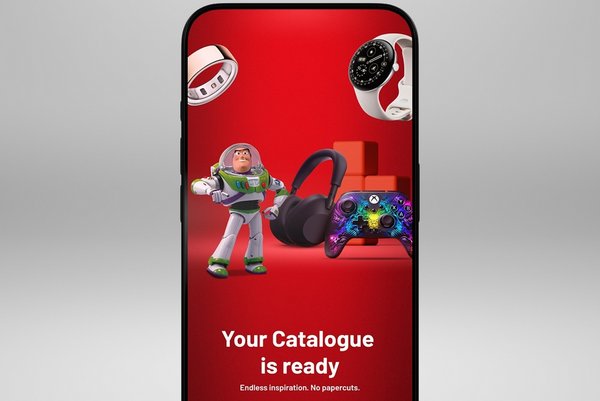
Your Catalogue is ready
The renewed, reimagined, reinvented catalogue on the Argos app.
Download the Argos App
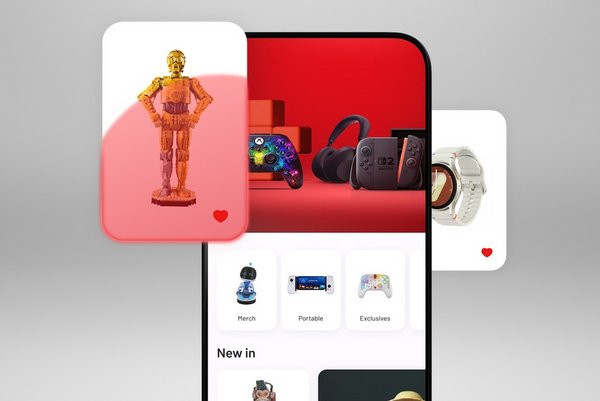
The Argos catalogue, reimagined. We all remember the nostalgia of flicking through the Argos Catalogue; whether you were picking out items for your Christmas list or searching for the perfect curtains to complete your living room upgrade, the Argos Catalogue was there to show you everything you needed and more. It was the ultimate shopping companion.
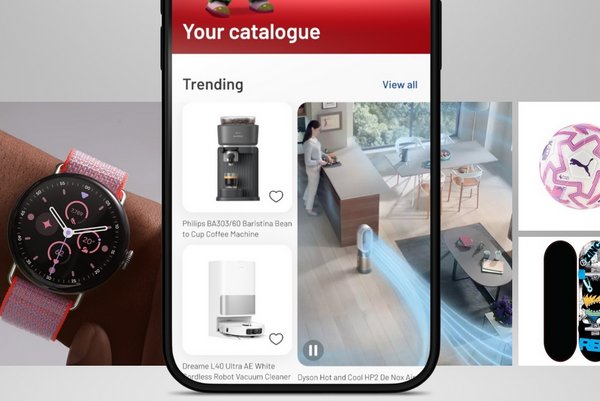
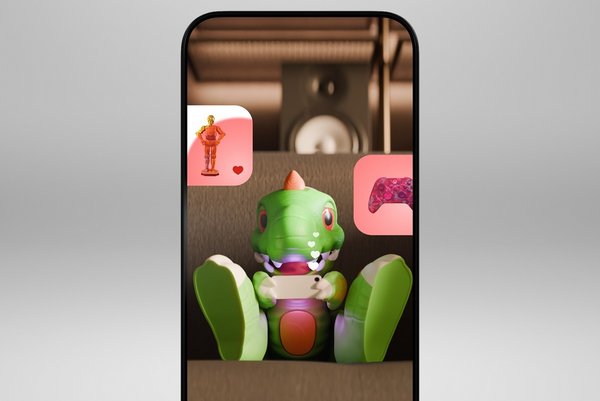
Recently, we’ve been working behind the scenes to revive and reimagine the iconic Argos catalogue for the digital age. But it won’t be just any catalogue, it’s Your Catalogue. You’ll discover trending products, personalised product recommendations, unique gifting ideas, a curated catalogue display, and dynamic shopping inspiration all in one place, with Argos.
&poi={$this.metadata.pointOfInterest.x},{$this.metadata.pointOfInterest.y},{$this.metadata.pointOfInterest.w},{$this.metadata.pointOfInterest.h}&scaleFit={($this.metadata.pointOfInterest.x>0)?$sfpoi:$sfcenter}&sm=aspect&aspect=2:1&sfcenter=center&sfpoi=poi&qlt=50&fmt=auto&noiser=0&fmt.jpeg.interlaced=true&fmt.jp2.qlt=40&)
&poi={$this.metadata.pointOfInterest.x},{$this.metadata.pointOfInterest.y},{$this.metadata.pointOfInterest.w},{$this.metadata.pointOfInterest.h}&scaleFit={($this.metadata.pointOfInterest.x>0)?$sfpoi:$sfcenter}&sm=aspect&aspect=2:1&sfcenter=center&sfpoi=poi&qlt=50&fmt=auto&noiser=0&fmt.jpeg.interlaced=true&fmt.jp2.qlt=40&)
&poi={$this.metadata.pointOfInterest.x},{$this.metadata.pointOfInterest.y},{$this.metadata.pointOfInterest.w},{$this.metadata.pointOfInterest.h}&scaleFit={($this.metadata.pointOfInterest.x>0)?$sfpoi:$sfcenter}&sm=aspect&aspect=2:1&sfcenter=center&sfpoi=poi&qlt=50&fmt=auto&noiser=0&fmt.jpeg.interlaced=true&fmt.jp2.qlt=40&)
&poi={$this.metadata.pointOfInterest.x},{$this.metadata.pointOfInterest.y},{$this.metadata.pointOfInterest.w},{$this.metadata.pointOfInterest.h}&scaleFit={($this.metadata.pointOfInterest.x>0)?$sfpoi:$sfcenter}&sm=aspect&aspect=2:1&sfcenter=center&sfpoi=poi&qlt=50&fmt=auto&noiser=0&fmt.jpeg.interlaced=true&fmt.jp2.qlt=40&)
Your catalogue - Frequently asked questions
How do I access Your Catalogue?
Your Catalogue will be available exclusively through the Argos app, which is free to download on the iOS App Store and Play Store. If you’re part of the select group of iOS accounts, you can start exploring and browsing right now. But in the meantime, stay tuned for further updates on when your catalogue will land in your Argos app.
Is Your Catalogue only available in the app?
Yes. While we all look back fondly on flicking through the pages of the classic Argos paper catalogue, nothing beats having curated product picks right there in your pocket!
Do I need an Argos account to use Your Catalogue?
No. Customers can browse the Catalogue without creating or signing in to an Argos account, giving them access to our extensive product range straight away.
While some personalised experiences are enhanced by app activity if you consented when presented with the ‘cookie and use of personal data’ banner, customers can still enjoy browsing and discovering products without an account.
Will my Catalogue update over time?
Yes! As you shop the Argos range, the catalogue will remember the types of products, ranges and brands you love. And if you discover something new, your catalogue will change to show you a whole selection of products based on your new purchase. Plus, when the seasons change, your catalogue has got you covered there too, so you don’t have to worry about finding Christmas stockings in springtime or barbecues when it’s bitterly cold outside!
How does Your Catalogue personalise recommendations?
Your Catalogue can tailor product recommendations based on a customer's browsing activity within the Argos app, helping them discover products and categories that are most relevant to their interests.
Customers who opted in when presented with the ‘cookie and use of personal data’ banner will receive more tailored recommendations. Those who have not opted in, or who are new to the app, will see a curated selection of popular products and categories. As customers continue to browse, their recommendations will become increasingly personalised over time.
How are recommendations personalised for customers who aren't logged into an Argos account?
Personalisation is not tied to a customer login. Where a customer has provided consent, we may use browsing behaviour, such as categories viewed, to tailor product recommendations.
Can customers switch off or limit the personalisation element?
Yes. Personalised recommendations are only provided where a customer has opted in when presented with the ‘cookie and use of personal data’ banner. Customers can withdraw their consent at any time by navigating to More > Data Access and Usage and switching off marketing consent.
Customers will only receive generic product recommendations unless they choose to opt in again in the future.
Can I buy products directly from Your Catalogue?
Not quite. When you’re browsing your catalogue and find a product you love, just click on it and you’ll be redirected to the app product page. From there you can add to cart and purchase as normal. Not sure you’re ready to purchase yet? You can also add products from the catalogue directly to your wishlist to save them for later – remember to opt in to notifications when your wishlist items drop in price.
Will items added to my wishlist in the app appear on my web wishlist?
No. Though you can add products to your wishlist while browsing in the Argos app, any items added there will not sync to your wishlist on the Argos website.
Only on the app