

Pay as you go SIMs explained
Want mobile service without a long-term contract? Learn more about pay as you go SIMs, their benefits and how to add credit or buy an allowance when you need it.
Shop all pay as you go SIMs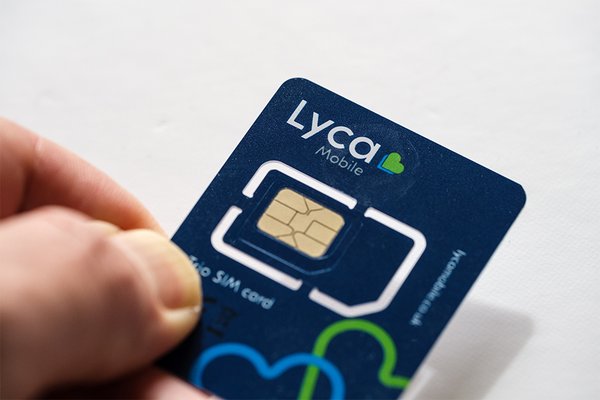&poi={$this.metadata.pointOfInterest.x},{$this.metadata.pointOfInterest.y},{$this.metadata.pointOfInterest.w},{$this.metadata.pointOfInterest.h}&scaleFit={$sfcenter}&sm=aspect&aspect=3:2&sfcenter=center&sfpoi=poi&qlt=50&fmt=auto&noiser=0&fmt.jpeg.interlaced=true&fmt.jp2.qlt=40&)
By Steven Smith | Last edited: August 2026
How does a pay as you go SIM work?
A pay as you go SIM, often shortened to PAYG SIM, connects a compatible phone or device to a mobile network. You can pay for this service in advance in one of two main ways:
- Pay from your credit: Add money to your balance and the network will deduct from it whenever you use data, make a call or send a text.
- Buy a bundle: Pay for a set allowance of data, calls and texts that lasts for a specific period.
Details vary between networks, so before choosing a SIM, be sure to check the network coverage, allowance period, renewal settings, top-up options and inactivity rules.
Pay as you go SIM benefits
A PAYG SIM is useful when flexibility matters more than having the same monthly allowance throughout the year. Here are some key advantages of these SIMs:
- No long-term mobile service contract: You are not committing to a traditional 12 or 24-month service plan. This can make it easier to stop using the service or switch SIMs according to your needs.
- More control over your usage: You can choose when to add credit or buy another bundle. This makes mobile use easier to manage, particularly for a phone you only use occasionally or as a second device. Some services may charge separately for usage outside a bundle, so always check how your specific plan works.
- No credit check for the PAYG service: A standard PAYG mobile service does not usually require the type of credit check associated with a pay-monthly mobile contract. However, other purchases or services may have separate conditions.
- Useful for more than your main phone: Depending on the SIM and device, pay as you go could be used for a spare or backup phone, a mobile Wi-Fi device or even your child’s first phone.
If your device only needs internet access, it might be best to look for a data-only SIM rather than a voice SIM.
Voice SIM vs data-only SIM
A voice SIM is designed for mobile phones and includes calls, texts and data.
A data-only SIM provides mobile internet without a standard calls and texts allowance. It can suit compatible tablets, mobile Wi-Fi devices and other equipment that just needs a data connection.
Tip: Make sure that both your device and SIM support the type of mobile connection you need.
Is a pay as you go SIM right for you?
A PAYG SIM may be suitable if you:
- Use your phone occasionally
- Don't want a long-term service commitment
- Don't mind adding credit when needed
- Need a temporary or spare SIM
- Want mobile data for a compatible tablet or mobile Wi-Fi device
It may be less suitable if you require large amounts of data every month and make frequent calls, or if you'd prefer a service that renews automatically.
How to choose a pay as you go SIM
If you've decided on a PAYG SIM, don't choose one based on data allowance alone. A large allowance will not be helpful if coverage is poor or if the allowance expires before you use it.
Here are some things to check when choosing a pay as you go SIM:
- The network coverage: Coverage can differ between networks and locations. Check the places where you might use the SIM most, including home, work, or other places you visit often.
- How much data you need: Calls and texts may be important, but mobile data often makes the biggest difference when choosing an allowance. You may use less data if you mainly send messages, check your email or browse web pages. Meanwhile, you may use more data if you regularly play online games, make video calls, use your phone as a personal hotspot or download large files.
- How long the allowance lasts: Some allowances remain for a set number of days, while preloaded data SIMs may last longer. Consider when the allowance starts, whether unused data carries over and if the bundle renews automatically. It is also important to know what happens when the allowance runs out and if you can buy an extra allowance when you need it.
- Top-up and inactivity rules: Find out how you can add credit. Options may include the network’s website, an app, phone service or a top-up voucher. Many networks also have rules for how often the SIM must be used. If it remains inactive for too long, the SIM and mobile number may be deactivated.
- Roaming terms (before travelling): UK allowances do not always work in the same way abroad. There can be differences in charges, included destinations and fair usage limits. Check the network’s current roaming information for your destination before you travel. If roaming is supported, make sure it is activated and that you understand how data, calls and texts will be charged.
Will a pay as you go SIM work in your phone?
Before buying, check that your phone:
- Accepts a physical SIM if you are buying one
- Uses a SIM size included with the pack
- Supports the mobile connection you need
- Is not restricted to a different network
- Supports the UK mobile network bands your chosen provider uses
Many physical SIM packs contain a multi-size SIM that can be separated into standard, micro or nano sizes. Do not force a SIM into the phone. Check the device instructions if you are unsure which size it uses.
Some phones support an eSIM instead of, or alongside, a physical SIM. You cannot insert a physical PAYG SIM into an eSIM-only device.
Can you keep your number with a pay as you go SIM?
You can typically ask to move your existing UK mobile number when switching providers.
Request a Porting Authorisation Code, known as a PAC, from your current provider. You'll need to give this to your new network and follow its instructions to transfer the number.
Keep your old SIM active until the transfer is complete. You should also check for and use any remaining PAYG credit before switching, as it may not move with your number.
How to set up a pay as you go SIM
Exact steps will depend on your network, but you will generally need to do the following:
- Turn off your phone or device
- Insert the SIM in the correct direction
- Turn the device back on
- Follow the instructions given with the SIM
- Activate it if required
- Add credit or select a bundle
- Check that mobile data is switched on if you need it
- Make a test call, send a text or open a web page
- If the SIM does not connect, restart the device and check the network’s setup instructions. Contact the network provider if the issue continues.
Before you choose: PAYG SIM checklist
Check the network's current information as well as these details about your SIM before choosing:
- The SIM type, such as voice or data-only
- The amount of data, calls and texts included
- How long the allowance lasts
- Whether the plan renews automatically
- How and where you can top up
- Any charges outside the allowance
- Network coverage in important locations
- Device and SIM-size compatibility
- Roaming terms
- Rules for keeping the SIM active
- The process for transferring your existing number
Frequently asked questions about pay as you go SIMs
Can you buy a SIM card without a contract?
A pay as you go SIM lets you access a mobile network without a traditional long-term service contract. You can buy the phone separately, then add credit or purchase a bundle of calls, texts and data.
Do you have to top up every month on pay as you go?
How often you need to top up will depend on the network and the type of PAYG plan. A traditional credit balance may remain available until you use it, subject to the provider’s inactivity rules. A bundle normally lasts for a specific period and may need to be renewed to continue receiving its allowance.
Can you get data on a pay as you go SIM?
Yes, many pay as you go SIMs include mobile data as part of a bundle or allow you to buy a separate data pack. You can also find data-only PAYG SIMs for compatible tablets and mobile Wi-Fi devices.
Is there a SIM card with no monthly fee?
Traditional pay as you go SIMs usually do not have a fixed monthly service fee. Instead, you can add credit and pay for use or buy an allowance when you need it. Some PAYG bundles renew every set period and may renew automatically when enough credit is available, so always check the current plan details.
Can you use a pay as you go SIM in a tablet?
You can use a PAYG SIM in a tablet if the tablet has compatible mobile connectivity and accepts the relevant physical SIM or eSIM type.
Does pay as you go credit expire?
This depends on the network and plan. A bundle usually has a fixed allowance period, while a traditional credit balance may have different rules. A network might also deactivate a SIM and reclaim its number if it is not used for a certain length of time.
Do you need a credit check for a pay as you go SIM?
A standard pay as you go mobile service doesn't usually require the type of credit check associated with a monthly mobile contract because you pay before using the service. You may still need to provide account or registration details to activate and manage the SIM. Any separate device purchase or additional service may have its own conditions, so be sure to check the relevant terms.