
Gaming headsets: how to choose the right one for your console or PC
Find the right headset for your gaming setup for immersive gaming sessions.
&poi={$this.metadata.pointOfInterest.x},{$this.metadata.pointOfInterest.y},{$this.metadata.pointOfInterest.w},{$this.metadata.pointOfInterest.h}&scaleFit={$sfcenter}&sm=aspect&aspect=3:2&sfcenter=center&sfpoi=poi&qlt=50&fmt=auto&noiser=0&fmt.jpeg.interlaced=true&fmt.jp2.qlt=40&)
Date published: May 2026 | By Steven Smith
Nothing beats a good gaming session after a long day. Immerse yourself fully in your favourite games with the perfect headset for your play style. From wired to wireless and over-ear to in-ear, no matter your platform of choice we have something for everyone.
Get the best audio for your gaming platform
PlayStation headsets
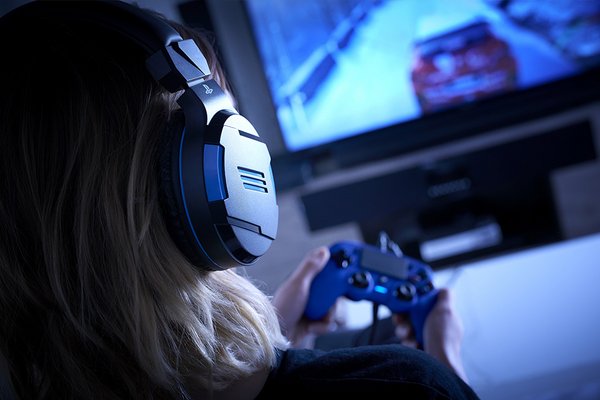
The PS5 and PS5 Pro consoles feature Sony’s 3D Audio which their headsets replicate to offer crisp, directional audio. Get a leg up on your opponent as you hear the direction their footsteps come from or listen out for the monsters closing in behind you. Sony have a helpful guide to setting up 3D audio on your console. With over-ear and in-ear options you can choose the right fit for you. And you’ll find headsets from trusted brands including Turtle Beach, HyperX and SteelSeries featuring built-in, in-line and detachable mics to keep you talking with your teammates in the heat of the game.
Xbox Headsets
Xbox consoles have a wide range of settings and features to get the most out of your audio, so checkout their audio setup guide. Like Sony, Xbox have a range of headsets in both wired and wireless options that really put you into the heart of the game and keep you chatting with your friends throughout your sessions. With options from a range of brands, you’ll be sure to find the ideal headset for your Xbox.
PC Gaming Headsets
With access to a wider range of software and the ability to upgrade the hardware, PCs offer greater access to the best audio when gaming. With wireless, 3.5mm and USB connectivity available, choosing the right headset is easier than ever. Be sure to read Microsoft’s guide to turning on spatial audio to enhance your experience.
Multi-platform Headsets
There’s a wide range of licensed headsets from third-party brands including Turtle Beach and SteelSeries that will work across a range of platforms. These are perfect if you have a PC and one or more different consoles, with some even offering Nintendo Switch connectivity. With one headset for all your gaming, you can keep your setup clutter free.
Are wired or wireless headsets best for gaming?
Both offer pros and cons so it very much comes down to your preferences and gaming style. Wireless headsets offer the freedom of not being tethered to your hardware or controller with cables, though will need charging and might suffer slight lag. This is less of an issue with modern headsets due to low-latency 2.4GHz connections. They do need charging between sessions, so make sure you check your battery level ahead of time.
A wired headset needs to be connected via USB or 3.5mm jack to your gaming hardware but offers virtually lossless sound. On the plus, they don’t need charging – just plug in and you’re ready to go.
| Wired | Wireless | |
|---|---|---|
Connection method | USB or 3.5mm jack | Wireless dongle or Bluetooth |
Power source | Powered via wired connection | Battery (built-in, or battery packs) |
Constraints | Tethered by need for wired connection | Need for charging headset or battery packs |
Gaming style | Ideal for competitive gaming where audio lag and need for charging could be a problem | Great for casual gaming where freedom from wires and charging pose no problems |
While a lot of the decision between over-ear and in-ear headsets comes down to personal comfort and choice, there are still a few technical factors worth considering.
| Over-ear | In-ear | |
|---|---|---|
Comfort | Sitting over the ear, these headsets tend to be more comfortable for longer play sessions, though can feel heavier and warmer to wear | Worn in the ear, comfort will decline over longer gaming sessions. Being smaller and not covering the head or ears, they tend to feel lighter and cooler to wear |
Immersion | Over-ear headsets can be more immersive, giving the impression of directional sound as it comes from outside the ear | Modern in-ear headsets can produce incredible audio, but will likely lose some of the sense of directionality |
Glasses compatibility | While glasses can be worn with most newer headsets, the over-ear nature can press on the arms | No compression of the glasses arms will make them more comfortable to wear |
Take aways
While there might be trade-offs between weight, comfort, sound quality and glasses-friendly wearing, consider how you plan to use your gaming headset. Over-ear might be the better option for more competitive gaming where immersive sound is beneficial, or you plan on playing for a longer stint. In-ear headsets offer a lighter fit for shorter sessions where it’s less important to hear every single detail.
Video games are all about immersion and enjoyment, but that doesn’t mean you can’t look out for your long-term hearing at the same time. When wearing a headset try the 60/60 rule. Don’t wear your headset for more than 60 minutes at a time and adjust to the volume to no more than 60% of the device’s maximum. Take a 15 to 30-minute break every hour of wear. This is even more important when using earbuds which can increase sound levels by up to 9Db. Check out Hidden Hearing for more hearing-loss prevention tips. Follow any in-system or in-game advice on audio volume and if you have any discomfort or issues, stop usage and consult a medical professional.
Gaming headsets FAQs
Do I need a special headset for Xbox Series X|S?
No, there’s no need to use a dedicated Xbox brand headset with your Xbox console. There is a range of third-party headsets at a selection of price points making them accessible to all gamers. It also offers you the chance to buy a multi-platform headset or one with more premium features.
Are wireless headsets good for competitive gaming?
Yes, wireless headsets are good for competitive gaming. While wired headsets offer the benefits of lossless audio as the sound isn’t transmitted by radio or Bluetooth frequencies and don’t require charging so are always ready to go, modern wireless headsets are much better. Low-latency 2.4GHz frequency means you’ll get near-lossless audio, so just make sure your headset is fully charged before your session.
Are gaming earbuds any good?
While more traditional over-ear headsets will generally produce better audio due to the space for more premium technology, a modern set of gaming earbuds can be ideal for the everyday gamer. They usually feature a charging case, are more portable and offer the convenience of being wireless and easy to wear with glasses.
What’s the difference between Windows Sonic, Dolby Atmos and DTS Headphone:X?
All three are different technologies of spatial audio. This is what gives sound the illusion of direction, creating a surround sound-style experience. Sonic is a free Microsoft/Xbox software, where Dolby Atmos has a one-time fee. DTS Headphone:X has a subscription to use it.
What is the 60/60 rule when wearing headsets?
To protect your hearing, you should use your headset at no more that 60% of its maximum volume for no more than 60 minutes at a time before taking a 15–30-minute break. This is more important with earbuds which can often increase the volume by up to 9dB compared to over-ear headsets.